> For the complete documentation index, see [llms.txt](/llms.txt).
# Dialogs
You can display a dialog in the MetaMask UI using the [snap_dialog](/snaps/reference/snaps-api/snap%5Fdialog/) API method. Dialogs can contain [custom UI](/snaps/features/custom-ui/) and [interactive UI](/snaps/features/custom-ui/interactive-ui/) components.
The four types of dialogs include [alerts](#display-an-alert-dialog), [confirmations](#display-a-confirmation-dialog), [prompts](#display-a-prompt-dialog), and [custom dialogs](#display-a-custom-dialog).
warning
- Dialogs do not work when MetaMask is locked. To check if MetaMask is locked, use [snap_getClientStatus](/snaps/reference/snaps-api/snap%5Fgetclientstatus/).
- [metamask: URLs](/snaps/features/custom-ui/#about-metamask-urls) are not supported in dialogs.
## Request permission to display dialogs[](#request-permission-to-display-dialogs "Direct link to Request permission to display dialogs")
To display dialogs, first request the [snap_dialog](/snaps/reference/snaps-api/snap%5Fdialog/) permission. Add the following to your Snap's manifest file:
snap.manifest.json
```
"initialPermissions": {
"snap_dialog": {}
}
```
## Display an alert dialog[](#display-an-alert-dialog "Direct link to Display an alert dialog")
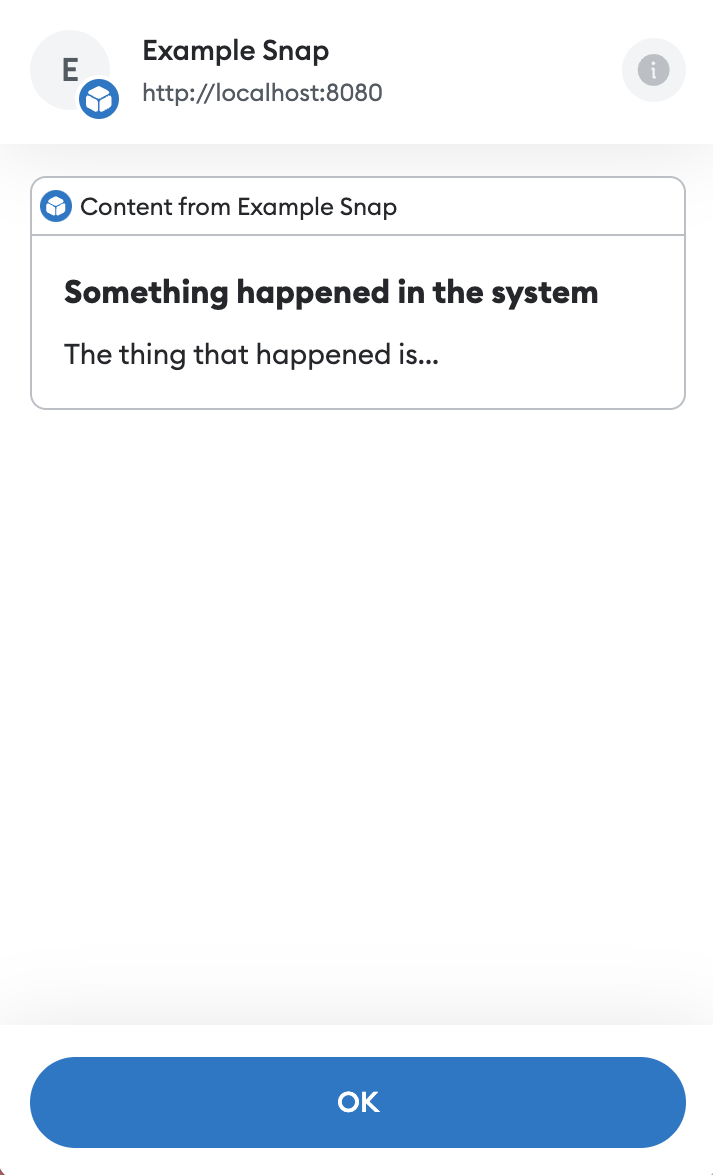
To display an alert that can only be acknowledged, call [snap_dialog](/snaps/reference/snaps-api/snap%5Fdialog/) with `type: "alert"`. The following example displays custom UI that alerts the user when something happens in the system:
index.tsx
```
import { Box, Text, Heading } from '@metamask/snaps-sdk/jsx'
await snap.request({
method: 'snap_dialog',
params: {
type: 'alert',
content: (
Something happened in the system
The thing that happened is...
),
},
})
// Code that should execute after the alert has been acknowledged.
```
## Display a confirmation dialog[](#display-a-confirmation-dialog "Direct link to Display a confirmation dialog")
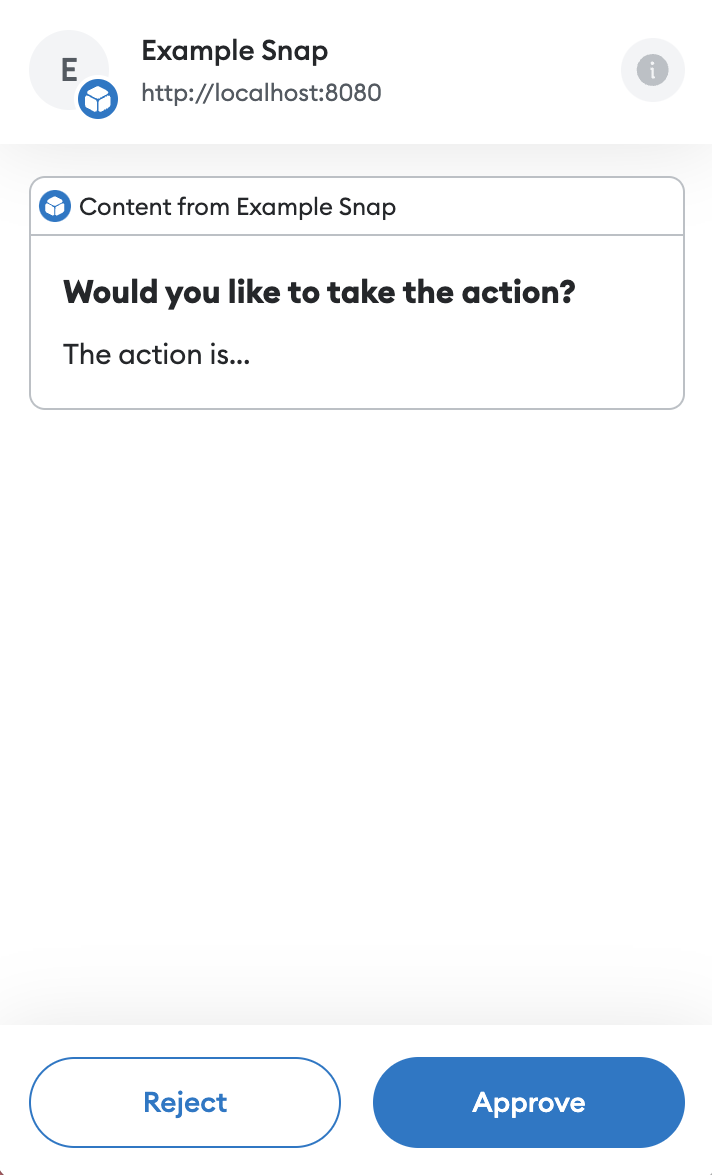
To display a confirmation that can be accepted or rejected, call [snap_dialog](/snaps/reference/snaps-api/snap%5Fdialog/) with `type: "confirmation"`. The following example displays custom UI that asks the user to confirm whether they would like to take an action:
index.tsx
```
import { Box, Text, Heading } from '@metamask/snaps-sdk/jsx'
const result = await snap.request({
method: 'snap_dialog',
params: {
type: 'confirmation',
content: (
Would you like to take the action?
The action is...
),
},
})
if (result === true) {
// Do the action.
}
```
## Display a prompt dialog[](#display-a-prompt-dialog "Direct link to Display a prompt dialog")
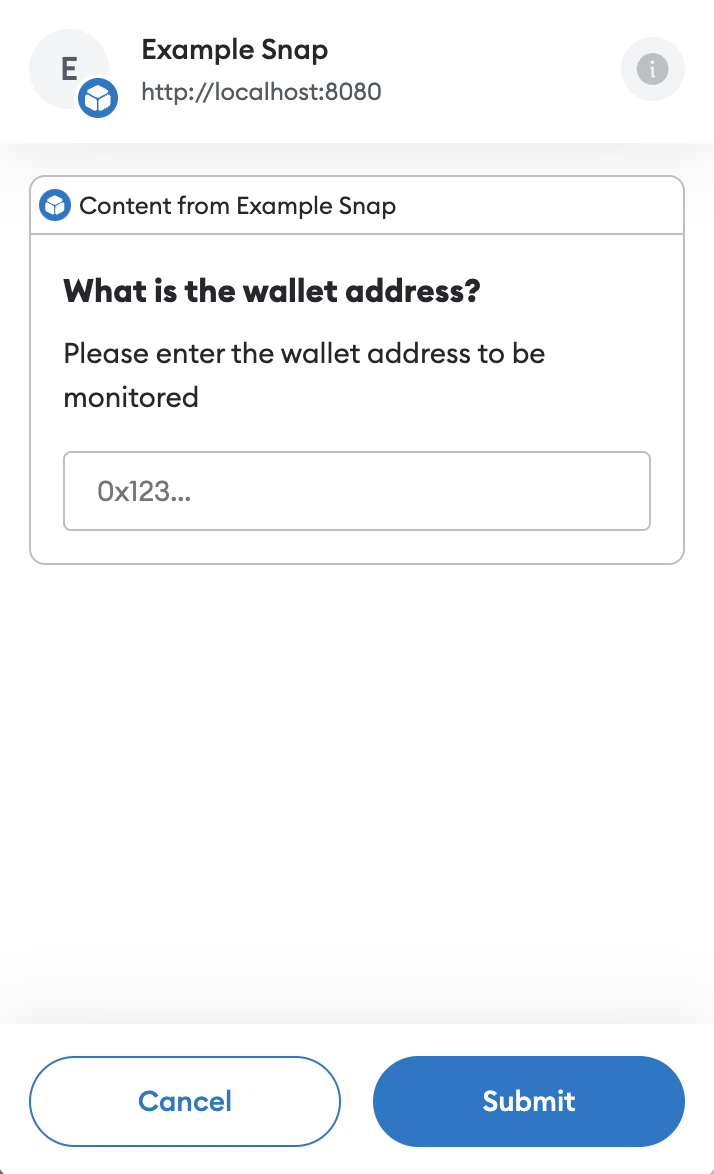
To display a prompt where the user can enter a text response, call [snap_dialog](/snaps/reference/snaps-api/snap%5Fdialog/) with `type: "prompt"`. Prompt dialogs also accept a `placeholder` value that displays in the input field when no text is entered.
The following example displays custom UI that prompts the user to enter a wallet address:
index.tsx
```
import { Box, Text, Heading } from '@metamask/snaps-sdk/jsx'
const walletAddress = await snap.request({
method: 'snap_dialog',
params: {
type: 'prompt',
content: (
What is the wallet address?
Please enter the wallet address to be monitored
),
placeholder: '0x123...',
},
})
// walletAddress will be a string containing the address entered by the user.
```
## Display a custom dialog[](#display-a-custom-dialog "Direct link to Display a custom dialog")
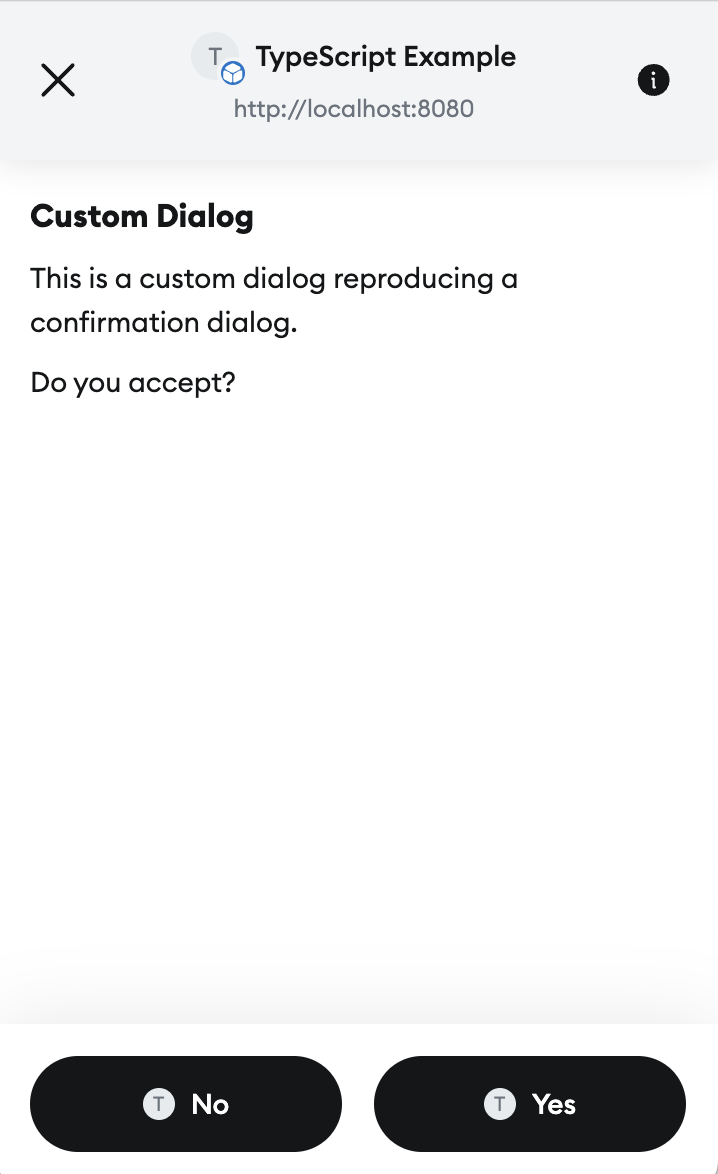
To display a custom dialog, call [snap_dialog](/snaps/reference/snaps-api/snap%5Fdialog/)without providing a `type`. Custom dialogs can be resolved by calling [snap_resolveInterface](/snaps/reference/snaps-api/snap%5Fresolveinterface/). The UI passed to a custom dialog should contain a `Footer` element. Its buttons will be displayed at the bottom of the dialog. Here is a complete example:
index.tsx
```
import {
UserInputEventType,
type OnRpcRequestHandler,
type OnUserInputHandler,
} from '@metamask/snaps-sdk'
import { Box, Text, Heading, Container, Footer, Button } from '@metamask/snaps-sdk/jsx'
/**
* Handle incoming JSON-RPC requests, sent through wallet_invokeSnap.
*
* @param args - The request handler args as object.
* @param args.origin - The origin of the request, e.g., the website that
* invoked the snap.
* @param args.request - A validated JSON-RPC request object.
* @returns The result of snap_dialog.
* @throws If the request method is not valid for this snap.
*/
export const onRpcRequest: OnRpcRequestHandler = async () => {
const result = await snap.request({
method: 'snap_dialog',
params: {
content: (
Custom Dialog
This is a custom dialog reproducing a confirmation dialog.
Do you accept?
),
},
})
console.log('result', result) // Result will be true or false.
return result
}
export const onUserInput: OnUserInputHandler = async ({ id, event }) => {
if (event.type === UserInputEventType.ButtonClickEvent) {
switch (event.name) {
case 'no': // User selected "No" in the footer.
await snap.request({
method: 'snap_resolveInterface',
params: {
id,
value: false,
},
})
break
case 'yes': {
// User selected "Yes" in the footer
await snap.request({
method: 'snap_resolveInterface',
params: {
id,
value: true,
},
})
break
}
default:
break
}
}
}
```
This code outputs a custom dialog with two buttons: **Yes** and **No**. When the user selects one of the buttons, `onUserInput` is called with the button's name. From there, `snap_resolveInterface` is called. This resolves the dialog, and returns the value passed to `snap_resolveInterface` as the result of the dialog.
## Example[](#example "Direct link to Example")
See the [@metamask/dialog-example-snap](https://github.com/MetaMask/snaps/tree/main/packages/examples/packages/dialogs)package for a full example of implementing dialogs. This example exposes a [custom JSON-RPC API](/snaps/learn/about-snaps/apis/#custom-json-rpc-apis)for dapps to display dialogs.